 RefreshRank
How to Scale Content Updates With a Small Team
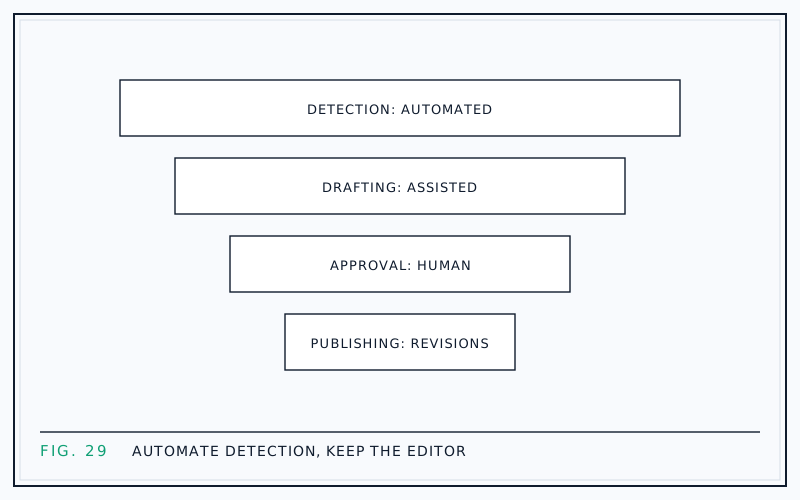
A small team scales content updates by splitting the work into three lanes: detection runs automated, drafting runs assisted, and approval stays human. Software watches the data and proposes changes; an editor decides what ships. That division of labor lets two people maintain a content catalog that would otherwise need a department.
Most teams scale the wrong lane. They add writing capacity while still finding targets by hand, so the pipeline starves at the top. Or they automate publishing, and then spend the hours they saved cleaning up unreviewed output. The lanes only work when each one is staffed - or automated - deliberately.
Here is the workflow stage by stage, with a realistic weekly cadence and a role split that holds up for a two-person team.
The bottleneck is deciding, not writing
Ask a team why updates stall and they blame writing time. Watch the same team for a week and the hours actually disappear earlier: opening Search Console for each site, comparing date ranges, eyeballing which pages declined, then debating which ones matter. Deciding is the slow part.
That is good news, because deciding is also the most automatable part. Decline detection is arithmetic on data Google already collects for you, and arithmetic does not need a meeting. The judgment work that follows - what to change, and whether the proposed change is good - is where your scarce human hours belong.
The three-lane model
One sentence per lane:
- Detect, automated: software syncs Search Console daily and flags pages losing clicks, so nobody checks dashboards by hand.
- Draft, assisted: AI proposes scoped edits informed by the page's real search queries, so nobody starts from a blank page.
- Approve, human: an editor reviews every proposed change and decides what ships, so nothing publishes itself.
The lanes fail independently, which is the point. If draft quality dips, detection still fills the queue. If the editor is out for a week, drafts wait safely instead of publishing.
Lane 1: automate detection completely
Manual detection does not survive contact with more than a couple of sites. Checking one property's 28-day comparisons takes perhaps twenty minutes; across ten client sites, weekly, that is a part-time job producing a spreadsheet nobody trusts by Friday.
This lane is where tooling earns its keep. The RefreshRank plugin, for example, syncs up to 16 months of a site's own Search Console history in 28-day windows, scores each page 0-100 for decay, and keeps a queue sorted by win-back Potential - and detection is free on one site, no card required. The specific tool matters less than the standard it sets: a human should never be the one noticing decline.
The manual method is still worth learning - see finding decaying content in Search Console - because it teaches you exactly what the automation is doing on your behalf.
Prioritize by potential, not by opinion
A flagged page is not automatically worth fixing. Small teams burn hours in 'which page first' debates, and the honest answer is arithmetic: past traffic, times depth of decline, times likelihood of recovery. A post that slid from position 4 to position 9 on a query with real demand beats one that never ranked at all.
Turn that into a standing rule: the queue is sorted by expected win-back, and the team works top down, no meetings required. Our post on prioritizing content updates walks through a scoring model you can run in a spreadsheet if your tooling does not provide one.
Lane 2: assist drafting, but fence the scope
AI drafting only scales if you constrain what it touches. The high-return, low-risk surface of an aging post is narrow: title, meta description, introduction, FAQ, and dates. Those elements drive click-through and perceived relevance, and a human can review changes to all five in minutes. Full-article regeneration, by contrast, produces long diffs nobody reviews carefully - which is exactly how errors ship.
Most teams own the tools but not the fence. In the Content Marketing Institute's 2025 B2B benchmarks (980 marketers, fielded 2024), 81% of teams used generative AI, yet only 19% had integrated it into daily workflows. The gap is not access to models; it is a repeatable, reviewable process.
Lane 3: keep the editor in command
Every proposed change should reach the editor as a current-versus-proposed diff, not as a finished rewrite pasted over the original. Diffs make review fast because the editor evaluates deltas rather than whole documents, and they make quality drift visible before it becomes a pattern.
Give the editor real authority: approve, edit, or reject, with no penalty for rejecting. The moment rejection feels like friction, people start rubber-stamping, and a rubber-stamped pipeline is just auto-publishing with extra steps. 'The AI proposes, you decide' is the one rule in this system that should never be optimized away.
Ship every change as a revision
Apply approved changes through WordPress revisions, so every update is one click from reversal. Revisions turn 'what if the update makes things worse' from a recurring debate into a non-event: roll back, requeue, move on.
The safety net changes team behavior more than any policy document could. Editors approve faster when mistakes are cheap, clients accept the workflow more readily when you can show that nothing is destructive, and the whole pipeline stops treating each update as a high-stakes decision. Details in our guide to WordPress revisions for content updates.
A weekly cadence for two people
A rhythm that holds up for a two-person team maintaining several sites:
- Monday, 30 minutes: review the detection queue and pick three to five targets for the week.
- Tuesday to Thursday: generate and review drafts, roughly 30-45 minutes of editor time per page.
- Friday, 30 minutes: apply approved changes and log each URL with its refresh date.
- Monthly, one hour: compare before-and-after windows for pages refreshed six or more weeks ago.
That is under a day of combined effort per week, sustaining a steady dozen or more refreshes a month without anyone working weekends.
Who owns what
A role split that keeps judgment where it belongs:
| Task | Owner | Time |
|---|---|---|
| Decay detection | Automated | None |
| Queue triage | Editor | 30 minutes weekly |
| Draft generation | Assistant plus AI tooling | About an hour weekly |
| Diff review and approval | Editor | Two to three hours weekly |
| Applying changes and logging | Assistant | One hour weekly |
| Client reporting | Editor | One hour monthly |
The pattern to protect: judgment tasks concentrate on the editor, repeatable tasks go to the assistant or the tooling, and nothing on the list requires watching dashboards by hand.
Measure the system, not just the pages
Track two layers. Per page, compare the 28 days before a refresh with a 28-day window after Google has recrawled it - our guide to measuring refresh results covers the mechanics. Per system, track throughput, approval rate, and cumulative clicks recovered across the portfolio.
The precedent for the effort is well documented. HubSpot's historical optimization program (2015, page updated 2025) reported a 106% average increase in organic search views from updating old posts, and Semrush's 2023 State of Content Marketing survey found 42% of marketers credited updating and repurposing existing content for their success. Your own tracked numbers are what convince the team, and the clients, to keep the lanes running.
Questions
How many refreshes can a two-person team ship per month?
With detection automated and drafting scoped to titles, metas, intros, FAQs, and dates, three to five refreshes a week is sustainable - a dozen to twenty per month. The constraint is editor review time, not writing capacity. Teams doing fully manual audits and full rewrites typically manage a small fraction of that.
Should AI rewrite entire articles?
No. Full-article generation produces long diffs that nobody reviews carefully, which is how factual errors and voice drift reach production. Scoped edits - title, meta description, introduction, FAQ, and dates - capture most of the click-through recovery while staying small enough for a human to genuinely check every line.
What should a human always review before a change ships?
Everything, viewed as a diff. The editor confirms factual claims survived the edit, the voice still sounds like the site, the title matches what the page actually delivers, and dates were not changed dishonestly. Review takes minutes per page when edits are scoped, which is the whole argument for scoping them.
How do we manage updates across many client sites?
Run one queue across all properties instead of checking each site separately, and sort it by win-back potential so the team always works the best target in the portfolio, whichever client it belongs to. See managing content health across client sites for the patterns that scale.
How long does one scoped refresh take?
Budget 30-45 minutes of editor time per page once detection and drafting are handled: read the diff, check facts and voice, adjust wording, approve, apply. Complicated pages take longer and simple ones take ten minutes, but the average is predictable, which is what makes weekly planning possible at all.
What if a refresh makes a page perform worse?
Roll it back. Changes applied as WordPress revisions restore in one click, so a bad outcome costs a few weeks of data, not a page. Log the rollback, note what the change attempted, and requeue the page with a different approach - or leave it alone if it turns out it was healthy.
Do we need a dedicated writer for refresh work?
Not usually. Scoped refreshes are editing jobs, not writing jobs: the draft exists, the target queries are known, and the changes are small. An editor with subject familiarity plus an assistant for logistics covers it comfortably. Save dedicated writers for net-new content, where blank-page work actually exists.
How do we know the automation flags the right pages?
Spot-check it. Once a month, pick two flagged pages and verify the decline manually in Search Console with year-over-year 28-day comparisons, and occasionally check a page it did not flag. If the tool's picks keep matching what you would have chosen yourself, trust it and stop re-checking every week.
Sources
- Content Marketing Institute - B2B Content Marketing Benchmarks, 15th Annual (2025)
- HubSpot - Optimizing the Past (2015, updated 2025)
- Semrush - State of Content Marketing (2023)