 RefreshRank
SEO Tools for Agencies: The Content Maintenance Stack
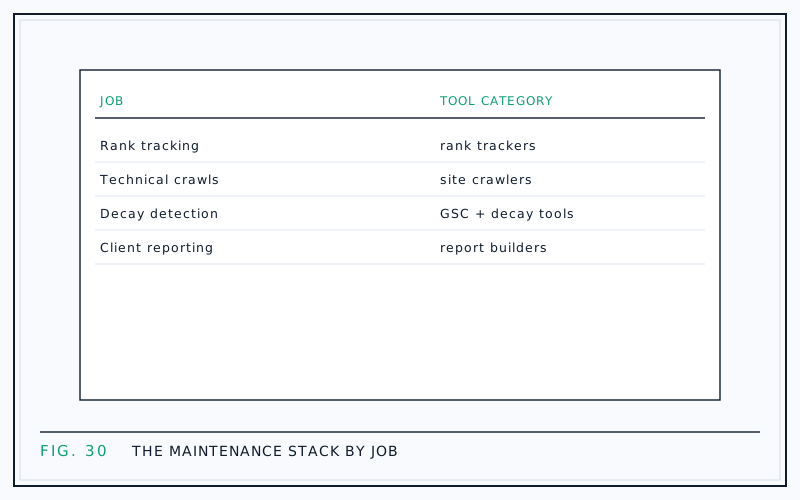
An agency content maintenance stack needs four jobs covered: rank tracking, technical crawling, decay detection, and client reporting - plus a fifth, refresh execution, once you start finding problems worth fixing. Pick one tool per job and you get full coverage without the overlapping subscriptions that quietly eat retainer margin.
Thinking in jobs instead of brand names keeps the buying decision honest. Every category has several competent vendors, most suites do two or three jobs adequately, and the right mix depends on your client count and price points, not on anyone's feature comparison page.
This is a tour of the stack by job: what each layer actually tells you, what it misses, and where the common gaps hide.
Buy jobs, not logos
The question 'which SEO tool should we buy' produces bad answers because it skips the prior question: which jobs need doing? For content maintenance across client sites, the recurring jobs are knowing where you rank, knowing the site is technically sound, knowing which content is losing ground, fixing what you find, and telling the client what happened.
Map your current subscriptions against those five jobs and two patterns usually appear: two or three tools doing the same job, and at least one job - almost always decay detection - covered by nobody at all.
Job 1: rank tracking
Rank trackers answer 'where do we stand on the keywords we chose to watch'. That framing contains both the value and the limit: you see movement quickly and can tie it to work you did, but only for the sample of keywords someone thought to track.
Rankings also move more than clients assume. A 2023 Semrush study that tracked 28,000 new domains for 13 months found only 4.2% kept at least one top-10 keyword for the entire period. Tracking tells you the churn is happening; it does not tell you which pages to fix or what the fix should be.
What to look for in the category: daily or weekly checks, local and device splits, and clean exports for reporting.
Job 2: technical crawling
Site crawlers simulate a search engine's pass over the site and catch what content work cannot fix: broken links, redirect chains, missing metadata, indexability mistakes, orphaned pages. For maintenance work the crawler is your smoke alarm - most crawls find nothing, and the one that catches a sitewide noindex justifies the whole category.
Schedule crawls rather than running them ad hoc: monthly for stable sites, plus one after every major deploy or redesign. Category options range from desktop crawlers licensed per seat to cloud crawlers priced per URL, and small portfolios rarely need the cloud tier.
Job 3: decay detection
Decay detection answers the question rank trackers and crawlers both miss: which pages that used to earn clicks are quietly losing them? The best data source here is not a third-party index but the site's own Google Search Console, which records real queries, clicks, and positions rather than estimates.
This is the job RefreshRank was built for, so an honest disclosure: it is our product. It is a WordPress plugin with a hosted service behind it that syncs up to 16 months of the site's own Search Console history in 28-day windows, scores every page 0-100 for decay, and sorts the queue by win-back Potential. Detection is free on one site, with no card and no trial clock. You can also run the job manually - here is the Search Console workflow - which is fine for one site and painful for ten.
Whatever you pick for this job, insist on first-party data and per-page decline history, not sitewide traffic estimates.
Job 4: refresh execution
Detection without execution just produces better-informed guilt. The execution layer turns a flagged page into a shipped update: a stronger title and meta description, a tightened introduction, an FAQ that answers real queries, corrected dates.
AI assistance belongs in this job, with a fence around it: drafting can be assisted, but approval must stay human, with every change reviewed as a diff before it ships. The adoption gap here is real - the Content Marketing Institute's 2025 B2B benchmarks (980 marketers) found 81% of teams used generative AI while only 19% had integrated it into daily workflows - and the missing piece is usually process, not tooling. Our post on scaling content updates with a small team lays out that workflow in full.
Job 5: client reporting
Reporting is the job that keeps the other four funded. The category spans white-label dashboard suites, spreadsheet templates, and share-link reports built into other tools; what matters is that the client sees a few numbers they understand, tied to work you actually did.
Speed matters more than polish. In AgencyAnalytics' 2026 benchmarks survey of 494 agency professionals, 73% of agencies completed a client report in under an hour, and 46% did it in under 30 minutes. If your reporting takes an afternoon per client, the tooling is the problem. For what belongs inside, see client reporting from Search Console and white-label reports clients actually read.
The stack at a glance
| Job | Tool category | Primary data source | Watch out for |
|---|---|---|---|
| Rank tracking | Rank tracker or suite module | Third-party SERP checks | Only sees keywords you chose to track |
| Technical health | Site crawler | Your own scheduled crawl | Findings without owners never get fixed |
| Decay detection | Decay or content-audit tool | Site's own Search Console | Estimates instead of first-party data |
| Refresh execution | AI-assisted editing tool | Page content plus real queries | Auto-publishing without human review |
| Reporting | White-label reporting tool | Aggregated from the layers above | Vanity metrics clients cannot act on |
Where stacks overlap, and where they gap
Overlap concentrates at the top of the stack. The big all-in-one suites all track rankings, most of them crawl, and agencies routinely pay for two suites whose feature lists are 80% identical. Cancel the duplicate before adding anything new; that alone often funds the rest of the stack.
The gap is nearly always in the middle. Rank tracking says 'position moved'; crawling says 'nothing is broken'; and nobody is watching per-page click decline over time, which is where recoverable traffic actually hides. If you audit your stack against the five jobs and find one hole, it will be decay detection.
Fit the stack to the retainer
Tool spend has to clear the retainer math. Ahrefs' 2024 pricing survey of 439 SEO providers put the average retainer at $2,917 per month, with 42.8% of providers charging between $501 and $2,000. At those price points, a stack costing hundreds of dollars per client per month leaves little room for labor and margin.
Two rules keep spend sane. Prefer tools priced per portfolio rather than per site, and cover every job before upgrading any single tool: a modest crawler plus real decay detection beats a premium crawler plus a blind spot. Running many properties through one queue helps too - see managing content health across client sites.
Start smaller than you think
A viable starter stack is mostly free: Search Console for first-party data, a free-tier crawler run monthly, decay detection on the free tier of a purpose-built tool, and a clean report template. Add paid layers when a specific job outgrows its free version, not before.
The order of operations matters more than the brands. Cover all five jobs thinly, run the maintenance loop for a full quarter, and let the friction you actually hit - not a feature checklist - decide where the first upgrade dollars go.
Questions
Do agencies need an all-in-one suite or separate tools?
Either works if every job is covered exactly once. Suites are convenient but usually leave decay detection uncovered and charge for modules you never open; point tools fit the job better but multiply logins and invoices. Audit by job first, then choose the cheapest arrangement that covers all five without duplication.
What is the difference between rank tracking and decay detection?
Rank tracking watches positions for a keyword list you chose, using third-party SERP checks. Decay detection watches every page's real clicks, impressions, and positions from the site's own Search Console history, and flags sustained decline. Tracking answers 'where do we stand'; decay detection answers 'which pages are losing ground and are worth fixing'.
Can Google Search Console replace paid SEO tools?
For some jobs, largely yes. It is the best source of first-party performance data, and manual date-range comparisons can find decay on a single site. It will not crawl for technical issues, track competitors, or roll up many client properties into one view, which is where paid layers earn their place.
How much should an agency spend on tools per client?
Work backward from the retainer rather than forward from feature lists. Ahrefs' 2024 pricing survey found 42.8% of SEO providers charge between $501 and $2,000 per month, and tool costs come out of that before labor. Portfolio-priced tools and free tiers exist precisely so small retainers can stay profitable.
How often should client sites be crawled?
Monthly for stable sites, immediately after any major deploy, migration, or redesign, and weekly only for large sites that change daily. The crawl is a smoke alarm, not a workload: most runs should find nothing, and a finding without an assigned owner is a finding that never gets fixed.
What belongs in a monthly content maintenance report?
A few numbers the client understands: clicks recovered on refreshed pages shown as before-and-after windows, the pages updated that month with a one-line reason each, and what is queued next. Skip raw rankings dumps and vanity metrics. One page that gets read beats ten pages that get filed.
Is AI-assisted drafting safe to use on client sites?
Yes, under two conditions: scope the edits to high-return surfaces like titles, meta descriptions, intros, FAQs, and dates, and require a human to approve every change as a diff before it ships. Applying changes as WordPress revisions adds a one-click undo, so no update is ever irreversible.
Which job should a new agency cover first?
Decay detection, because it is the cheapest to cover and drives the others. Search Console is free, and free-tier detection tooling exists, so you can find recoverable pages before spending anything on trackers or crawlers. The findings then justify the rest of the stack with client-specific evidence instead of a feature list.
Sources
- Semrush - How Long Does It Take to Rank Higher on Google (2023)
- Content Marketing Institute - B2B Content Marketing Benchmarks, 15th Annual (2025)
- AgencyAnalytics - 2026 Marketing Agency Benchmarks Report (2026)
- Ahrefs - SEO Pricing Survey (2024)