 RefreshRank
Update, Rewrite, or Delete? A Framework for Old Content
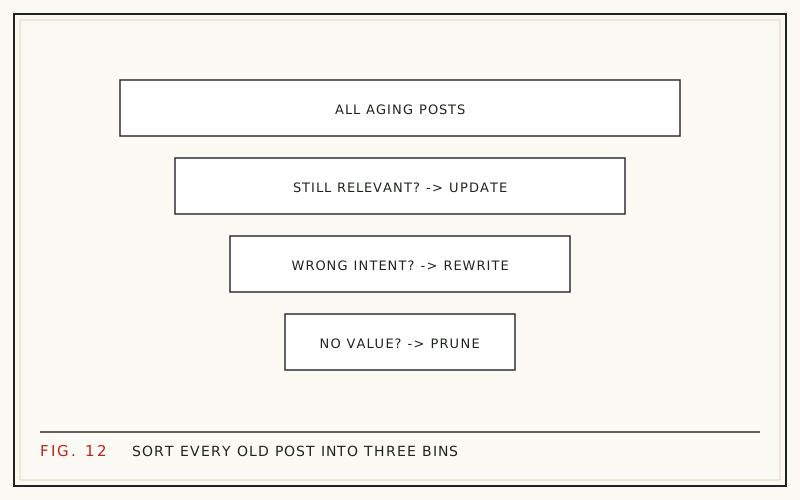
Old content gets one of four verdicts: update it, rewrite it, merge it into a stronger page, or remove it and redirect. The deciding factor is not age. It is whether the query still has demand, whether your page still matches the intent behind that query, and whether the URL has any history worth keeping.
Most archives skew heavily toward removal candidates. Ahrefs' study of about 14 billion pages found 96.55% of them get no organic traffic from Google at all (Ahrefs, 2023). Plenty of what sits in your archive was never earning anything, and editing it will not change that.
This framework walks the three questions that produce a verdict, a decision table you can apply page by page, and the cases where the right answer is to wait and gather more data before touching anything.
What are the four possible verdicts?
Every old URL ends up in one of four lanes, and naming them up front stops the endless 'maybe I will get to it' pile.
- Update: the page is still right, just dated. You refresh the title, introduction, facts, and FAQ.
- Rewrite: the topic still has demand, but the page answers the wrong version of the question. You rebuild the content on the same URL.
- Consolidate: two or more of your pages chase the same query. You merge them into the strongest URL and redirect the rest.
- Remove: nobody searches for this, nothing links to it, and it serves no strategic purpose. You delete and redirect to the closest relevant page.
Notice that three of the four keep the URL alive in some form. Deleting is the smallest bucket for most sites, not the default.
Question 1: Is there still demand for the query?
Check impressions before you check anything else. If a page still collects impressions in Search Console, people are searching and Google is showing you. That is proof of demand, and it makes the page worth saving in some form.
If impressions have gone to near zero over a full year, and the query itself has faded rather than shifted to a competitor, no amount of editing brings it back. Interest in the topic ended. That is a removal or consolidation case, not a refresh case.
Be careful about how you measure. Search Console holds 16 months of history, so compare a recent 28-day window against the same window a year earlier rather than against last month. The mechanics are in how to find decaying content in Google Search Console.
Question 2: Does the page still match the intent?
Search the target query and look at what Google now ranks. If the results are all comparison tables and yours is a definition essay, the intent behind the query moved and your page did not. That is a rewrite, not a touch-up.
The give-away signal in your own data is a page with healthy impressions and dismal click-through rate at a decent position. People see you, read the snippet, and decide you are answering a different question.
Intent shifts happen for predictable reasons: a category matures, a tool changes its interface, or a term picks up a new meaning. None of those are fixed by adding a paragraph.
Question 3: Is the URL worth keeping?
A URL carries history that a new page has to earn again: links, crawl history, and whatever authority it accumulated. Throwing that away for a topic you still cover is expensive.
Age alone is a bad reason to delete. In Ahrefs' 2023 study of roughly two million URLs, 72.9% of pages ranking in the top ten were more than three years old (Ahrefs, 2023). Mature URLs are the norm at the top of results, not the exception.
So ask what the URL has, not how old it is. Any referring links? Any conversions? Any internal links pointing at it from pages that matter? If the answer to all three is no, and impressions are gone, removal is defensible. If any answer is yes, prefer consolidation so the value transfers instead of evaporating.
The decision table
Match the pattern in your data to a verdict:
| What the data shows | Verdict | First move |
|---|---|---|
| Clicks falling, impressions steady, page still answers the query | Update | Refresh title, intro, facts, FAQ |
| Impressions holding but on queries the page does not answer | Rewrite | Rebuild the page around the query that earns the impressions |
| Two of your URLs trading places on one query | Consolidate | Merge into the stronger URL, redirect the weaker |
| Near-zero clicks for a full year, no links, no strategic role | Remove | Redirect to the closest relevant page |
| Decline matches the same dip last year | Wait | Compare year over year before acting |
| Site-wide drop starting on a confirmed update date | Hold | Assess quality across the site, not page by page |
When two rows fit, take the less destructive one. You can always remove a page later; you cannot un-delete its link history.
When to update
Update when the page is still the right answer and simply looks tired. This is the most common verdict and the cheapest work, so it is where the return usually is.
The pattern to look for: clicks declining, impressions flat or slightly up, average position roughly stable, click-through rate falling. The page still gets shown. Fewer people pick it.
An update means the title and meta description rewritten to match today's phrasing, an introduction that answers the question in the first two sentences, current statistics and screenshots, dead links repaired, and an FAQ covering the long-tail queries the page already collects impressions for. The full sequence is in how to refresh old blog posts.
When to rewrite
Rewrite when the query survived but your answer did not. The topic still earns impressions, and the page is now the wrong shape for it.
A rewrite keeps the URL and the subject and replaces most of the body. In practice that means deciding what the page should be from the query data first, then writing it, rather than editing the old draft sentence by sentence. Editing pulls you back toward the structure that stopped working.
Two cautions. Keep whatever genuinely earned links, such as an original chart or a specific example, because those are often why the URL ranks at all. And keep the original published date while updating the modified date; a rewrite is not a new article just because the words changed.
When to consolidate instead
Consolidate when several of your pages compete for the same query. Two thin posts on overlapping topics usually split impressions, links, and internal links three ways and win nothing.
The signal is easy to spot in Search Console: filter by the query and look at which pages Google shows. If it keeps swapping between two of your URLs, you are competing with yourself.
Pick the URL with the stronger history, move the genuinely useful material from the others into it, then 301 the losers to the winner. Update internal links so they point at the survivor rather than through a redirect chain. This is often the highest-value move in an old archive, and it is covered alongside the deletion mechanics in content pruning for SEO.
When to remove and redirect
Remove when the page has no demand, no links, and no role. Announcement posts for events that happened, duplicate category pages, thin posts written for a keyword nobody searches, and content about products you no longer sell are the usual candidates.
Do it carefully:
- Export the page first so nothing useful is lost.
- Redirect with a 301 to the closest genuinely relevant page, not to the homepage by default.
- Leave a 404 only when no relevant destination exists; a wrong redirect is worse than a clean 404.
- Fix internal links that pointed at the removed URL.
- Record what you removed and when, so a later traffic change can be checked against it.
Expect modest results. Pruning cleans up an archive; it is not a ranking tactic for a small site.
When the right verdict is to wait
Sometimes the page is fine and the timing is not. Two situations call for patience rather than edits.
The first is seasonality. A decline that matches the same weeks last year is a calendar effect, not decay, and rewriting a page mid-dip guarantees you will misread the recovery as a win. Compare year over year before acting; the method is in content decay versus seasonality.
The second is a broad algorithm update. Google confirmed four updates in 2025, three core and one spam, according to Search Engine Land's year-end review (Search Engine Land, 2025). If a drop starts site-wide on one of those dates, page-level edits are the wrong instrument. Give it a few weeks, look for a pattern across page types, and decide from there.
Run the framework in order, with a safety net
Work the verdicts in sequence rather than page by page. First mark the obvious removals and consolidations, because they shrink the list. Then rank what is left by win-back potential, so the pages with the most recoverable traffic get your attention first. The scoring is in how to prioritize content updates.
Keep every change reversible. In WordPress, each save creates a revision you can restore in a click, and redirects can be undone. That safety net is why RefreshRank shows each edit as a current-versus-proposed diff before anything goes live and applies approved changes as ordinary revisions. Its free plan reads your own Search Console history for one site and sorts the decay queue by win-back potential, which is the same input this framework runs on. The plugin is on WordPress.org if you want the queue built for you.
Then measure. Note the date of each verdict you act on and compare 28-day windows after the change, using how to measure content refresh results.
Questions
Does deleting old blog posts improve SEO?
Sometimes, and less dramatically than the case studies suggest. Removing thin, dead pages tidies an archive and concentrates internal links, but for a small site crawl budget is rarely the constraint. The bigger wins usually come from consolidating competing pages, not from deletion volume. Remove what has no demand, no links, and no purpose.
How do I know if a page has wrong intent or just needs updating?
Search the target query and compare the result formats. If the ranking pages are a different type of content than yours, comparison versus tutorial for example, intent has shifted and you need a rewrite. If the ranking pages look like yours but fresher and clearer, an update is enough. Your own impressions-versus-clicks split confirms it.
Should I redirect deleted pages to the homepage?
No, not as a default. Google treats irrelevant redirects much like soft 404s, so the link value you hoped to pass often does not transfer. Redirect to the closest genuinely related page. When nothing relevant exists, a clean 404 is the honest answer and does no lasting harm.
How many pages should I consolidate into one?
As many as genuinely answer the same query, which is usually two or three. Beyond that, you tend to be merging different questions into one bloated page that answers none of them well. If merged sections have distinct queries with real impressions, they deserve separate pages rather than one long one.
Is it safe to change a URL when rewriting?
It is safer to keep it. The existing URL carries link history and ranking signals that a new address restarts from zero, even with a redirect in place. Change the URL only when the topic itself changes enough that the old slug is misleading, and always 301 the old address to the new one.
How old should a post be before I review it?
Age is the wrong trigger. Review on data instead: any page whose clicks fell materially against the same window last year deserves a look, whether it is eight months or eight years old. Ahrefs found 72.9% of top-ten pages are more than three years old (Ahrefs, 2023), so age by itself signals very little.
What if a page has links but no traffic?
Keep it and consolidate. Referring links are the hardest asset to replace, so merge the content into a page that does earn traffic and 301 the old URL so the link value has somewhere to go. Deleting a linked page outright throws away the one thing that took years to accumulate.
How often should I run this framework?
A full pass once or twice a year is plenty for most sites, with a monthly check of the biggest click losses in between. The full sort is slow work; the monthly review is fast because it only looks at pages whose numbers actually moved. Anything else can wait for the annual pass.
Sources
- Ahrefs - 96.55% of Content Gets No Traffic From Google (2023)
- Ahrefs - How Long Does It Take to Rank in Google? (2023)
- Search Engine Land - Google Algorithm Updates 2025 In Review (2025)